


How do you connect your phone via Bluetooth in a 2026 Mitsubishi Outlander near Jacksonville, IL?
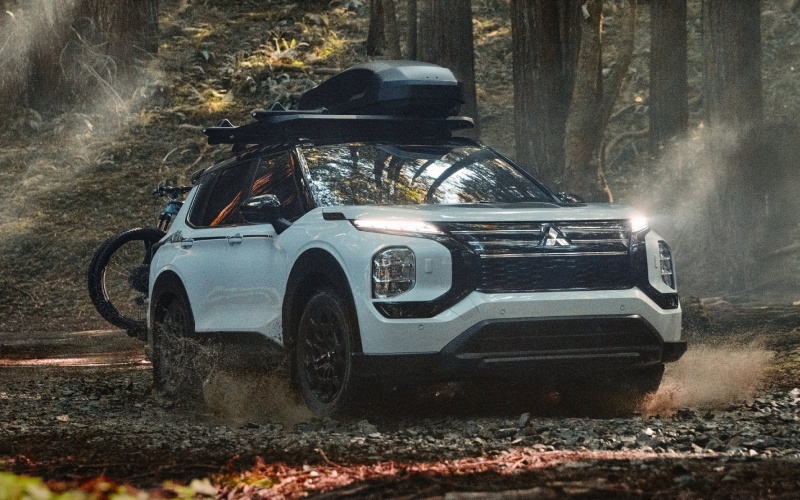
Landmark Mitsubishi – How do you connect your phone via Bluetooth in a 2026 Mitsubishi Outlander near Jacksonville, IL?
Getting your phone paired to Bluetooth in the 2026 Mitsubishi Outlander is a quick win that makes everyday driving around Jacksonville easier and safer. Whether you are taking the kids down Morton Avenue, commuting on I-72 to Springfield, or heading out to Lake Jacksonville for the weekend, a clean setup means hands-free calls, clear turn-by-turn audio, and seamless streaming through the Outlander’s premium sound systems.
At Landmark Mitsubishi, we help new owners pair their devices every day, and we are happy to share the simple, step-by-step way to do it yourself. The great news is that every 2026 Outlander features a 12.3″ Smartphone-link Display Audio with Navigation, Wireless Apple CarPlay® and Wireless Google Android Auto®, and Bluetooth® built in. Set it up once while parked, and your Outlander will remember your device automatically.
Why Bluetooth pairing matters for Jacksonville, IL driving
Local roads can get busy around school pick-up near Jacksonville High School, and rural stretches along IL-104 often have limited shoulders. Pairing your phone ensures you can keep your eyes up and your hands on the wheel while still staying connected. You will be able to use the Steering Wheel Voice Recognition Control for calls, texts dictated by your assistant, and playlists, all routed through the Dynamic Sound Yamaha® audio systems for crisp, balanced sound.
Even if you prefer Wireless Apple CarPlay® or Wireless Google Android Auto®, Bluetooth is the foundation that lets the Outlander discover and reconnect to your device. Once paired, connecting is nearly instant each time you start the SUV.
Before you start
Plan to set this up in Park with the engine on or in accessory mode. Have your phone’s Bluetooth turned on and make sure any previous car Bluetooth connections are disconnected, so your device does not try to attach to another vehicle or accessory nearby.
We also recommend keeping your phone in the front seat during setup. If your Outlander has the Smartphone Wireless Charger, leave the phone out of the charger until you finish pairing.
How to pair your phone to the 2026 Outlander via Bluetooth
The following steps work for both iPhone and Android devices, with minor differences noted. Once you complete them, your Outlander should reconnect automatically whenever you get in.
- Start the Outlander and put it in Park
- Open the 12.3″ Smartphone-link Display Audio home screen
- Tap the phone or Bluetooth menu on the screen
- Select the option to add a new device
- On your phone, open the Bluetooth settings
- Choose the vehicle name shown on your phone
- Confirm the pairing code matches on the vehicle screen and your phone
- Allow contacts and favorites access on your phone
- Set your device as the preferred phone on the vehicle screen
- Finish the pairing and make a test call or play audio
On iPhone, you may see prompts to enable CarPlay after pairing. If you plan to use Wireless Apple CarPlay®, accept the prompts and complete the guided setup. On Android, accept pairing and any media or contacts prompts to enable calling and audio streaming. If you plan to use Wireless Google Android Auto®, follow the on-screen prompts to finish the link.
Wireless Apple CarPlay and Wireless Google Android Auto
Every 2026 Outlander supports Wireless Apple CarPlay® and Wireless Google Android Auto®. After Bluetooth pairing, the system can complete the wireless setup, letting you use your favorite maps, messages, and music apps without a cable. That is perfect for short hops around town where you do not want to plug in, and it keeps your focus forward on US-67 or Jacksonville’s in-town traffic.
If you prefer a wired connection, you can still plug in via USB-C, though most owners enjoy the freedom of the standard wireless integrations.
Make the most of your audio
The Dynamic Sound Yamaha® Premium system is standard on the Outlander, and select packages offer the Dynamic Sound Yamaha® Ultimate 12-speaker upgrade. Both support Bluetooth streaming, and the Premium and Ultimate systems include Speed Compensated Volume that subtly lifts volume as road noise rises. On Ultimate, Rain Compensated Volume, and Air-Conditioner Compensated Volume can keep music clear when the wipers are active, or the fan is on high.
Want rich vocals for podcasts on your morning run down Lafayette Avenue or immersive concert clarity for weekend drives to the Morgan County Fairgrounds If your Outlander has the Ultimate system, try the available sound modes and Listening Position options to tailor the cabin experience.
Troubleshooting tips if pairing does not connect
Most pairings take under a minute. If yours does not complete, try these quick fixes and start the pairing flow again.
- Restart both the vehicle screen and your phone
- Delete old Bluetooth profiles on your phone and in the vehicle list
- Move the phone to the front cupholder area
- Disable mobile hotspot during setup
- Update your phone’s operating system
- Ensure the Outlander is in Park with the engine on or in accessory mode
If you have multiple drivers in the family, remember to set each device as a favorite after pairing. In the Bluetooth device list on the Outlander’s screen, you can typically reorder which device connects first when more than one paired phone is in the vehicle.
For privacy, your contacts stay on your phone, and the Outlander only uses them when you grant permission during pairing. You can revoke permissions in your phone’s Bluetooth settings anytime.
Pro tip for Jacksonville errands around Morton Avenue: If your phone does not auto-reconnect after a quick stop, open Bluetooth on the phone and tap the Outlander entry to reattach instantly. In most cases, it will reconnect on its own once the vehicle has fully started.
Safety reminders while using Bluetooth
Set up and adjust connections only while parked. Illinois law prohibits handling a phone while driving, and features like Steering Wheel Voice Recognition Control, Automatic High Beam, and Driver Attention Alert are designed to help keep you focused. For longer highway stretches toward Springfield, consider enabling MI-PILOT Assist™ where equipped for added confidence, while still keeping your hands on the wheel and attention on the road.
If you ever need in-person help, our team can pair your phone, set your preferred services like Mitsubishi Connect with Safeguard and Remote Services, and walk you through voice commands in a few minutes at delivery or during any service visit.
When you are ready to test the system, ask us for a quick demo route from our store and imagine how easy it will be to take calls on your morning loop, enjoy playlists on drives out to Lake Jacksonville, and get timely directions for school activities across town.
We are here to help you get the most from your 2026 Outlander’s technology from day one. Bring your phone to Landmark Mitsubishi, and we will connect it, tailor your audio settings, and make sure the system recognizes your device every time you start the SUV.
Frequently Asked Questions:
Do I need Mitsubishi Connect for Bluetooth calling and audio?
No. Bluetooth calling and audio streaming work without a subscription. Mitsubishi Connect with Safeguard and Remote Services is a separate suite of connected features and remote controls you can activate if you want added convenience.
Can I skip Bluetooth and just use Apple CarPlay or Android Auto?
Yes. Wireless Apple CarPlay® and Wireless Google Android Auto® are standard on the 2026 Outlander. The vehicle may still use Bluetooth during the initial handshake, but once set up, you can launch CarPlay or Android Auto directly from the home screen.
How many phones can the Outlander remember?
The system can store multiple paired devices. Only one phone is typically active at a time for calls and media. In the Bluetooth device list, set your phone as the preferred device so it connects first when more than one paired phone is in the vehicle.
Will Bluetooth streaming use my mobile data?
Bluetooth itself does not use data, but the apps you stream from your phone may use your carrier data plan. On CarPlay or Android Auto, navigation and music also use your phone’s data unless you download content offline in advance.
Can the Yamaha audio settings affect call clarity?
Yes. The Dynamic Sound Yamaha® systems are tuned for balanced sound throughout the cabin, which can improve call clarity. If you have the Ultimate system, features like Speed Compensated Volume help calls stay audible as road noise increases.
If you would like a hands-on walkthrough or a quick Bluetooth health check, stop by Landmark Mitsubishi. We serve drivers from Jacksonville, Meredosia, Winchester, and all across Morgan County, and we can pair your device and personalize your 2026 Outlander in just a few minutes. We are ready to help you arrive confidently, connected, and in control.
0 comment(s) so far on How do you connect your phone via Bluetooth in a 2026 Mitsubishi Outlander near Jacksonville, IL?